
Setup, Range & Fixes
How to Use a MEATER Block
How to use a MEATER Block: charge the probes, pair them to the base over Bluetooth, join 2.4GHz WiFi, set targets in the app, and monitor four meats.
How to use a wireless probe, how far it reaches, why it won't connect, and what the battery and app need.
How to use a MEATER Block: charge the probes, pair them to the base over Bluetooth, join 2.4GHz WiFi, set targets in the app, and monitor four meats.
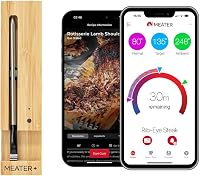
Learn how to pair a MEATER Plus: charge the probe first, open the MEATER app, start a new cook, and confirm the probe connects before you light the grill.
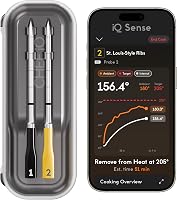
Yes, CHEF iQ Sense thermometer probes are dishwasher safe. Here's how to wash them without hurting the thin tip or the sensors.

Wireless meat thermometer range depends on the connection type, obstacles, and placement. Learn how to judge a stated range and keep a steady signal.
Learn how to use a wireless meat thermometer: charge and pair it, place the probe, set an alert, monitor the cook, and clean it safely.
Learn how to use MEATER Plus: charge and pair the probe, place it in meat, follow the app's cook guidance, and clean and store it after cooking.
Wireless meat thermometer battery life ranges from a few hours per probe charge to longer base runtimes. Learn what affects it and how to plan a cook.

A wireless meat thermometer can work without a phone if it has a standalone display. Learn what to check and how no-app models differ from app-based ones.
Fix a wireless meat thermometer not connecting by checking probe placement, power, pairing, range, and signal obstructions before restarting your cook.