How Far Can a Wireless Meat Thermometer Reach?
A wireless meat thermometer can reach from a few hundred feet to much farther, depending on its connection and conditions. The stated range is a best-case guide, so walls, metal, and distance between the probe and receiver can affect the signal.
On this page (7 sections)
- What does wireless meat thermometer range mean?
- Why can the real range be shorter than the stated range?
- Do RF, Sub-1G, Bluetooth, and WiFi have the same range?
- How can you get a steadier signal while cooking?
- Which wireless thermometer range fits your setup?
- Will an oven, grill, or smoker block the signal?
- How do you choose a range without overpaying for distance?
A wireless meat thermometer can reach from about 1,000 feet to 3,000 feet in models that advertise long-range RF or Sub-1G connections. Those numbers are guides under favorable conditions, not a promise that the signal will travel that far through walls, appliances, or other obstacles.
Your useful range is the distance at which the receiver or phone still gets updates where you plan to sit. Radio type, the path between devices, and where you place the base or hub all matter.
What does wireless meat thermometer range mean?
Wireless meat thermometer range is the maker's stated distance between the probe system and its receiver or hub. It doesn't tell you exactly how far the signal will travel through your home's walls or around a metal grill.
Some thermometers send readings to a separate receiver using RF or Sub-1G technology. Others connect to a phone over Bluetooth, or use a hub and WiFi for remote updates.
The connection path differs by design. Read the setup instructions to see which devices need to stay near each other and whether the phone connects directly to the probe, to a base, or through a network.
Why can the real range be shorter than the stated range?
Obstacles and placement can shorten a wireless thermometer's usable range. Walls, closed doors, large appliances, and the grill or smoker itself can block or weaken a signal.
Distance is only one part of the path. A receiver placed behind a refrigerator or low on the floor may have a harder time staying connected than one placed in an open spot closer to the cooking area.
The cooker's position can change, too. A lid, metal body, or nearby structure may sit between the probe and receiver.
Move the receiver a few feet and check whether readings return before assuming the thermometer is faulty.
Do RF, Sub-1G, Bluetooth, and WiFi have the same range?
No. These connection types work differently, and their advertised range numbers aren't directly comparable.
Check which connection a specific thermometer uses and what equipment must stay nearby.
RF and Sub-1G models may pair probes with a standalone receiver or base. The ThermoMaven 3000FT No-App uses Sub-1G and has a standalone LCD base, while the TempPro TempSpike 2000FT 2-Probe and TempPro TempSync 1000FT use RF and include a receiver or thermometer body.
Bluetooth models connect over a short-range radio link to a phone or hub. WiFi models can route updates through a network, which can support checking from farther away when the network and app are working.
For more on that distinction, see whether wireless meat thermometers need WiFi.
Does a WiFi model have a truly unlimited range?
WiFi can remove the need to stay within direct Bluetooth distance, but it still depends on a working network and app. The CHEF iQ Sense 2-Probe is described as using WiFi for remote monitoring.
The probe still has to connect to its hub or other system as designed, and that system needs a working route to your phone. WiFi won't help if the home network is down or the hub is out of range of the probe.
How can you get a steadier signal while cooking?
Place the receiver or hub in an open location and test the route before starting a long cook. Keep it away from large appliances and avoid hiding it behind cabinets or other objects.
Follow the thermometer's pairing steps with the probes in their intended positions. Then walk to the spot where you expect to monitor the cook and confirm that readings update there.
If the signal drops, move closer first. If that helps, reposition the receiver or hub rather than relying on the same placement for the next cook.
Our guide to using a wireless meat thermometer covers setup and monitoring basics.
What should you do when the connection drops?
Check power, pairing, and placement before changing settings. A weak signal can look like a connection problem when the receiver is simply too far away or blocked.
Bring the receiver closer to the cooker, check that the probe and base are paired, and follow the model's instructions to reconnect if needed. For more steps, read why a wireless meat thermometer won't connect.
Which wireless thermometer range fits your setup?
Choose a connection that covers the distance and obstacles in your cooking space. A standalone receiver may suit you if you want updates without relying on a phone, while WiFi can suit remote checks when your network is reliable.
The ThermoMaven 3000FT No-App pairs a stated long range with a standalone LCD base and two probes.
The TempPro TempSpike 2000FT 2-Probe uses RF and includes a receiver and signal amplifier.
The TempPro TempSync 1000FT includes 4 color-coded probes and a backlit display.
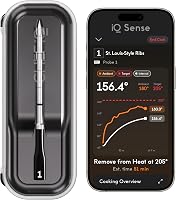
The CHEF iQ Sense 2-Probe connects through Bluetooth and WiFi, with app-based remote monitoring.
Use the stated distance as a starting point, then compare how you want to receive updates. You can also read what to look for in a wireless meat thermometer before choosing.
Will an oven, grill, or smoker block the signal?
The cooking appliance can affect the signal if its body or lid sits between the probe and receiver. The exact effect depends on the appliance, the thermometer, and where you place the receiving device.
Keep the base or hub outside the oven or grill unless the instructions say otherwise. Make sure the probe itself is intended for the cooking environment and follow its heat limits.
For oven placement guidance, see whether you can put a wireless meat thermometer in the oven. The range number alone doesn't confirm that a probe is oven-safe.
How do you choose a range without overpaying for distance?
Pick enough range for your actual cooking area, then weigh the connection style and controls you want. A very long advertised distance won't matter much if you monitor from the next room.
For a backyard cook, a receiver-based RF or Sub-1G model may offer the distance and simple display you need. For app alerts away from home, check whether the thermometer uses WiFi and what the setup requires.
Before buying, consider how many probes you'll use and whether you prefer a standalone screen or phone alerts. The best fit is the one whose connection reaches your usual monitoring spot and whose setup matches how you cook.
Use advertised wireless meat thermometer range as a guide, then judge it by your layout and connection needs. Choose a receiver model if you want a separate screen nearby, or a WiFi model if you want app-based remote checks; see our setup and fixes guide for help with pairing and signal issues.
Frequently asked questions
How far can a wireless meat thermometer reach?
It depends on the connection system and conditions around the probe and receiver. Some models advertise a range of 1,000 feet or more, while WiFi models can be checked through an internet connection.
Walls, appliances, and the receiver's placement can reduce a direct wireless signal.
Do wireless meat thermometer ranges include walls?
A stated range doesn't guarantee the same distance through walls. Materials and appliances between the probe and receiver can weaken a signal, so test the setup from the place where you'll actually monitor the cook.
Keep the receiver or hub in an open spot if the connection drops.
Is WiFi range unlimited for a meat thermometer?
WiFi can let you check a thermometer remotely when the thermometer, network, and phone have working internet access. A maker may describe that as unlimited range, but it still depends on the network and app connection.
WiFi doesn't mean the probe itself has a direct unlimited radio signal.
Is a longer range always better for a wireless meat thermometer?
A longer stated range helps if you need to move farther from the grill or smoker, but it can't guarantee a steady signal through every layout. Choose a connection style that suits your home, then consider probe count, display or app needs, and setup preferences.